NYC School Shop
HDMI Splitter Extended Display, USB C to HDMI Dual Monitor Adapter 4K for Laptop(DP Alt Mode Required)
HDMI Splitter Extended Display, USB C to HDMI Dual Monitor Adapter 4K for Laptop(DP Alt Mode Required)
Couldn't load pickup availability

Checking the compatibility before buying...

Compatible list(If you are not sure if this dual hdmi adapter is compatible with your laptop, please send your laptop model to us for check)
Windows laptop list(Support Mirror , SST and MST, each of the monitor can show different contents. Extended display settting: 1.Press Windows Key + P, and select Extend; 2. Right click on Windows desktop, select Display Setting --> select Extend these displays in Multiple displays section):
- Dell: XPS13/13 Plus/15/17, G3/G5/G7/G15/G16 Series,Inspiron 14/16/16 Plus/5000/7000, Vostro 3520/5620/7620, Alienware x14/x15/x17/m15/m17, Dell Latitude 3420/3520/5330/5331/5420/5520/5530/7320/7330/7420/7430/9420/9430, Precision Workstation 3470/3561/3571/5470/5560/5570/5760/7560/7670/7760/7770 (NOT compatible with: Dell Inspiron 13 3000,Vostro 3510/3420)
- Huawei: Matebook 13/14, MateBook X/E/X pro,Mate Pad 11/10.8/10.4/12.6, Honor Magic Book
- HP: Spectre x360/4/4 Pro/5/6, ENVY x360/17t/,Pavilion x360, Pavilion 15t/Plus 14t,Pavilion Aero 13z, OMEN 15/15t/16t/16z/17,Victus 15t/15z,EliteBook 1050G1, EliteBook Folio G1/1050G1/840G5,HP 14s (NOT compatible with HP 15z-ef100)
- Xiaomi: Air 12.5/13.3",Pro15.6", RedmiBook 16, Redmi G
- ASUS: Zenbook 3/3pro/X/13/14/14s, U306, U321, U4100UN, U5100UQ, ROG Series
- Lenovo: Y7000/Y7000P/R7000/R7000P/Y9000K/Y9000X, YOGA6 Pro, ThinkPad X1 Carbon/ P15v, Yoga/Xiaoxin Pro13/Ari14/15/Air15
- Acer: 3/SF313/5/7, Spin5 Razer: Blade Stealth series
- Microsoft: Surface Book2/Surface Go/Surface Laptop 3/Surface Pro 7/Surface Pro X
- Samsung: Note Book Series, Galaxy Book Series
mac OS devices(support mirror and SST only. Even in extend mode, the two external monitors will show the same content only. Extended display setting: In macOS, System Reference -->Display -->Display Settings -->select the external monitor, set it to: Use as Extended display):
- Apple: MacBook 12", MacBook Pro 13.3(M1), MacBook Pro2016/2017/2018/2019/2020/2021, MacBook Air2016/2017/2018/2019/2020, Mac mini, iPad Air2020, iPad mini2021, iPad Pro2018/2019/2020/2021, iPad Air 4, iMac2021
Android smartphone(mirror and SST, do not support MST):
- Samsung: S20 Series, S10, S10+, S9, S9+, S8, S8+, Note 8, Note 9, Note 10, Note 10+, Note20
- Huawei Mate 40/40Pro/40Pro+/40Rs/30/30Pro/30RS, Mate20/20Pro/20X/20RS, P40/P40Pro, P30/P30Pro, P20/P20Pro, Mate10/Mate10Pro, Honor V20, Honor Note10...
HBAVLINK USB Type C to Dual HDMI Adapter for dual monitor extended display

USB C to dual HDMI Adapter
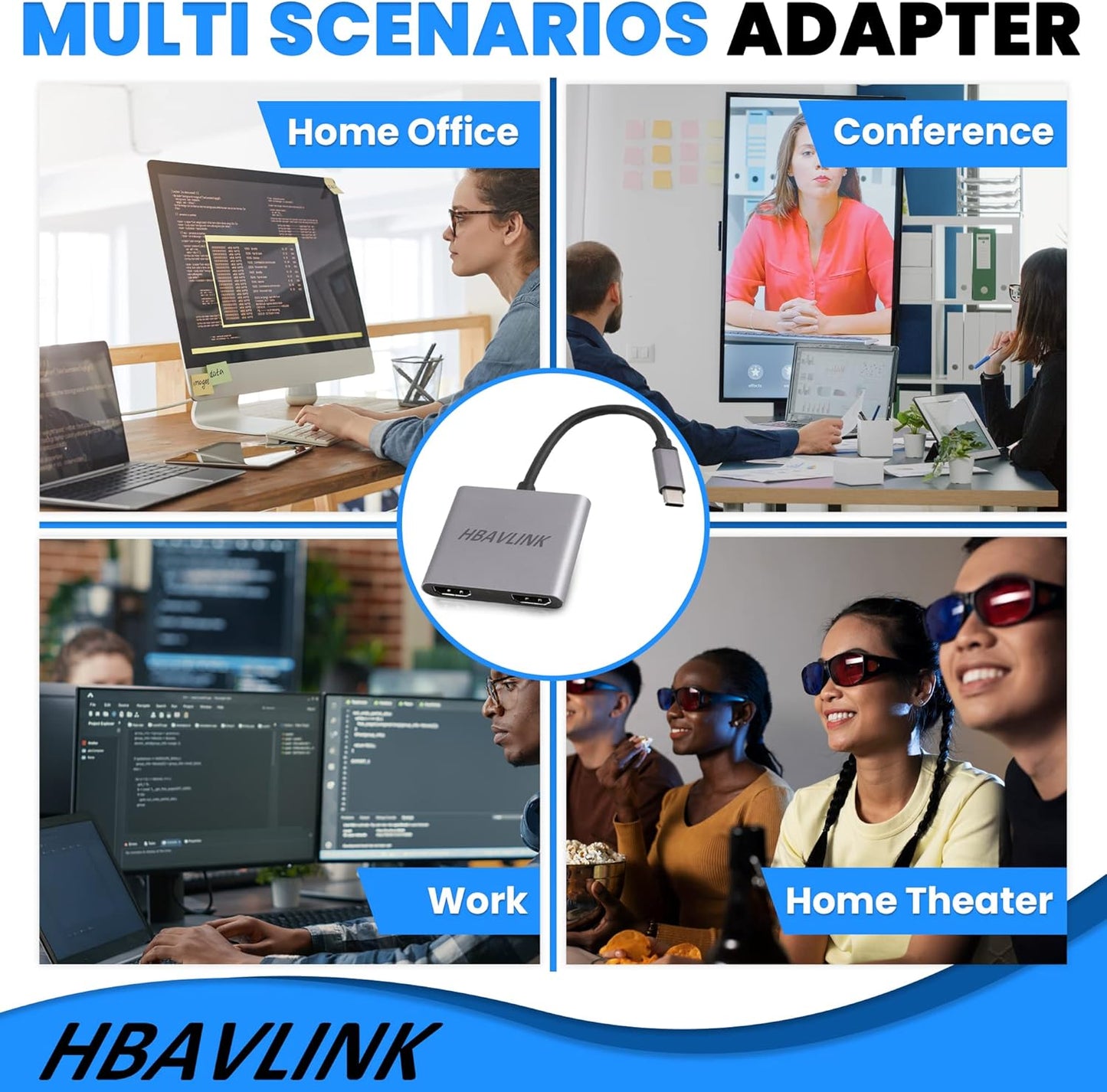
This hbavlink usb c to dual hdmi adapter is an ideal dual monitor adapter for your laptop extended dispaly. With this usb c to hdmi adatper, you can output your usb c laptop to a big HD projector/4K TV, and can easily add two external monitors for your working laptop, each of the monitor can run different tasks. It is an ideal solution for designer/programmer/home worker/multi-task worker/etc.
Output resolutions from this usb c adapter:
- Single 4K@60Hz (When it is connected to only one hdmi display device)
- Dual 4K@30Hz
- 4K@30Hz + 1080P60Hz
- Dual 1080P@60Hz
- Dual 720P
Supported monitors(with HDMI ports):
- 4K monitor
- 1080P Full HD montior
- old 720p monitor
- Vertical monitor
- Curved screen monitor
The difference between Windows laptop and macbook
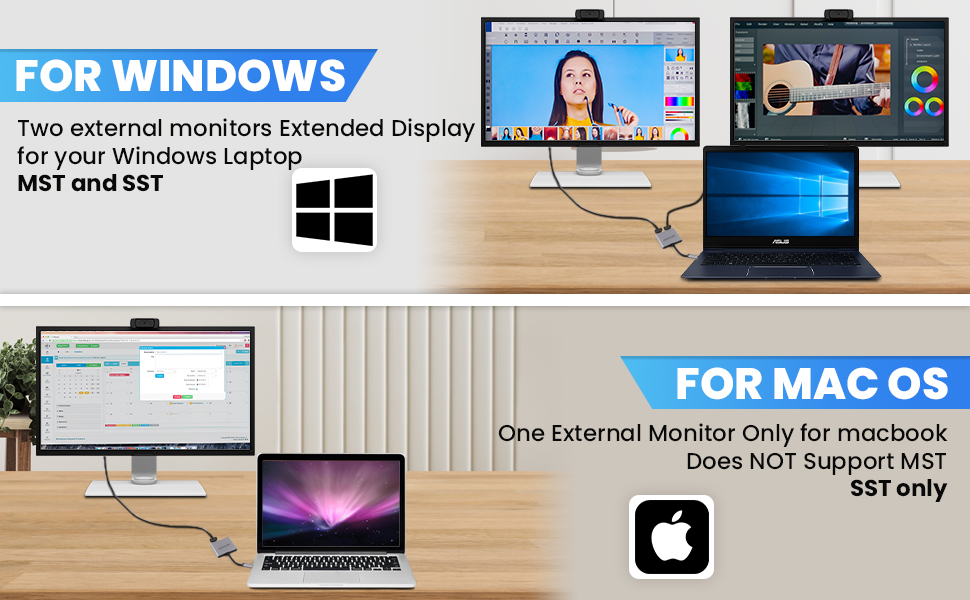
With this usb c adapter, you can add two extended monitors for your windows laptop, or add one extended monitor for your macbook
For Windows laptop, up to
- Two external monitors, extended display, MST mode
- Two external monitors, extended display, SST mode
- Two external monitors, mirror display
For macbook, up to
- One external monitor, extended display
- One external monitor, mirror display
Note: For macbook, only support one external monitor extended display because of the macbook limitation. If connecting to two external monitor for macbook, both of the external montiors will show the same image.
Tripple screen display, increase your working productivity

MST Tripple Display for Windows laptop:
- One laptop built-in monitor
- Two 2 additional monitors beyond the laptop display
- Totally 3 montiors extended display, run multi tasks at the same, view 3 times more contents than one built-in monitor, great tool to increase your working productivity.
hdmi splitter for dual monitors extended display

Add one additional monitor for macbook
Extend your macbook to a big 4K display device, enjoy the vivid image in 4K HDTV/monitor/projector;
- Single 4K 60Hz
Note: Only one extended dispaly supported for macOS.

Add two additional monitors for laptop
Hdmi splitter for dual monitor extended display:
- Dual 4K 30Hz
- Dual 1080P 60Hz
- 4K 30Hz + 1080P 60Hz

Plug & Play, no driver required
Dual monitor adapter for laptop:
- usb c to hdmi
- plug & play
- no driver required

dual monitor adapter for laptop
|

dual monitor adapter for laptop
|

multi monitor adapter for mac m1/m2/m3
|
|
|---|---|---|---|
|
|
|
|
|
| Customer Reviews |
220
|
27
|
29
|
| Input | USB C | USB C | USB A+C |
| Outputs | 2 HDMI Ports | 2 HDMI Ports | 2 HDMI Ports |
| Max Output Resolution | Single 4K@60Hz or Dual 4K@30Hz | Single 4K@60Hz or Dual 4K@30Hz | dual 4K 60Hz |
| Compatibility | Windows laptop(usb c port with video out function) | Windows laptop(usb c port with video out function) | Windows, macOS |
- 【HDMI Splitter Extended Display】This hbavlink HDMI splitter extended display is an usb c to hdmi splitter for dual monitors extended display, can help to extend your laptop to dual monitors extended display, each monitor can show different images, run multiple tasks at the same time, a simple way to enhance your productivity (Note: NOT support usb to type c adapter);
- 【Dual Monitors 4K】This usb c to hdmi adapter is up to 4K@60Hz for one monitor, or dual 4K@30Hz for dual monitors (Note: To get 4K@60Hz resolution, please use HDMI 2.0 or above version HDMI cable, HDMI V1.4 can only transmit 4K@30Hz signal) ***Before buying, please make sure your laptop is with USB C port(NOT USB 3.0 A Port) and with DisplayPort Function, or it will be not compatible*** ;
- 【Plug & Play】Easy to use, no need to install driver, plug & play for windows laptop.(Note:●Macbook MST mode is not supported)
- 【Widely Compatibility】this hbavlink usb c to hdmi adapter is compatible with Dell XPS13/15/17, G3/G5/G6, Latitude 3420/5420/7330, Vostro 3520/5620, Inspiron , HP Spectre, HP Elitebook, HP Envy, HP ProBook, Lenovo ThinkPad, Lenovo Yoga, Huawei MateBook, Microsoft Surface book, Samsung Galaxy Book, and other type c laptops which support DP Alt mode. If you are not sure about the compitability with your laptop, please contact us: click sell by HB Link US, and find our support email there;
- 【Aluminum alloy housing】This hbavlink dual hdmi adpter is compact and lightweight, easy to carry on for travel, business trip, and the aluminum alloy housing guarantees the good quality and durability of the adatper;;
| Compatible Devices | Dual Monitor extended display compatible with Dell Inspiron, Dell XPS, HP Spectre, HP Elitebook, HP Envy, HP ProBook, Lenovo ThinkPad, Lenovo Yoga, Huawei MateBook, Microsoft Surface book, Samsung Galaxy Book, and other Type C laptops which support Display Alt mode(Video out function) See more |
| Specific Uses For Product | USB-C to dual HDMI adapter for extended display |
| Connector Type | USB C to HDMI |
| Color | Grey |
| Item dimensions L x W x H | 2.2 x 1.87 x 0.39 inches |