NYC School Shop
KADAMS Visual Timer for Kids with Audio Pre-Alarm - Traffic Light Alarm for Kids Toddler Teachers Classroom Home Time Management Tool 24hr Countdown Pause Memory Function
KADAMS Visual Timer for Kids with Audio Pre-Alarm - Traffic Light Alarm for Kids Toddler Teachers Classroom Home Time Management Tool 24hr Countdown Pause Memory Function
Couldn't load pickup availability
Traffic Light Visual Timer with Pre-alarm



Support for Special Needs & Visual Learners
Perfect for children who benefit from visual structure—ideal for kids with developmental or sensory needs. The color-coded lights and pre-alarm help provide non-verbal time cues for smoother transitions and improved focus.
the Perfect Christmas Surprise!

Fun and Educational Gifts
Fun to use, easy to understand, and designed to make learning time management joyful and engaging.

Holiday Gift with Heart
A gift that visualize the passing by of time — just right for little minds!


Visualize the Passage of Time

An engaging tool for learning and routine-building in childcare centers, daycares, preschools, kindergartens, and elementary classrooms. Helps young learners better understand time and stay on track during daily activities.
With KADAMS, Kids See Time, Understand Time, Master Time.


Welcome to Kadams Timer Family

Stoplight Timer for Kids |

Visual Cube Timer |

Magnetic Robot timer |

Flip timer |
|
|---|---|---|---|---|
|
Customer Reviews
|
31
|
407
|
44
|
4,905
|
|
Price
|
— | $16.99 | $5.99 | $22.99 |
|
Function
|
Timer | Timer | Timer | Timer |
|
Features
|
Pomodoro, countdown, count-up | Countdown, count-up | Magnetic | Rotating |
|
Alert
|
Sound alert, mute | Sound alert, mute | Sound alert | Light, vabration, sound alert |
|
Ways of setting timer
|
Click setting buttons | Face up the side with numbers | Click setting buttons | Face up the side with numbers |
|
Battery
|
3 AAA Alkaline batteries | Rechargeable with USB C cable | Button battery | Rechargeable with USB C cable |
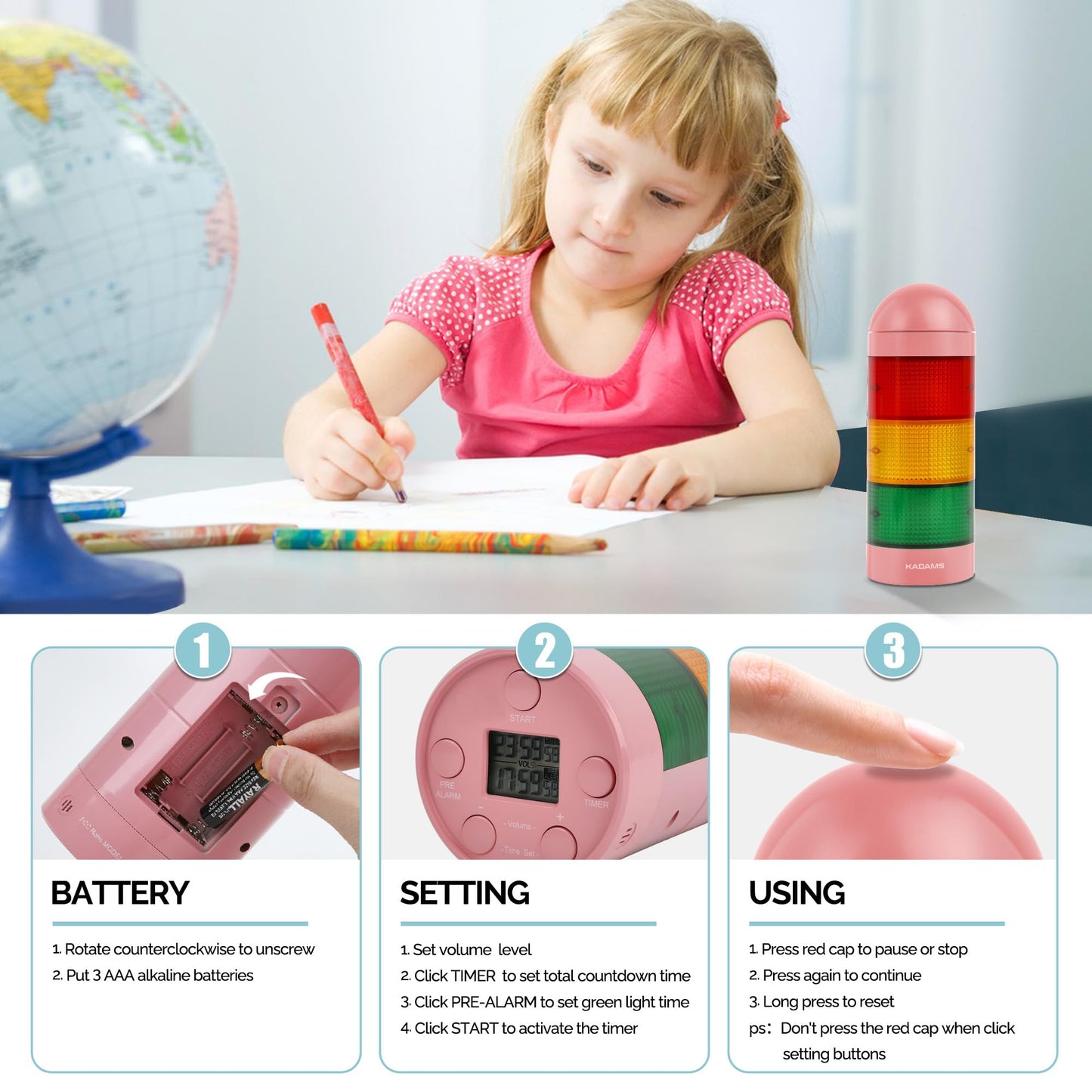
- [Innovative Traffic Light Gamification] The stoplight visual timer with pre-alarm function, featuring red, yellow, and green lights, gamifies time management, rendering it both engaging and visually intuitive. It effectively conveys "Let's Go," "Nearly There," and "Stop," enhancing user-friendliness
- [Visual and Audible Sound Alerts] This kid's timer has six levels of volume control, from silent mode to a robust 85 dB option. For individuals with special needs, visual cues can be supplemented with acoustic alerts. The digital visual timer for children offers the flexibility of optional alarm sounds, ensuring automatic deactivation upon timer completion.
- [Versatile Application Across Age Groups and Abilities] Regardless of your role as a parent, teacher, professional, student, or child, the teacher-must-have visual timer for toddlers helps to foster independence and productivity. It is especially advantageous for individuals with disabilities, such as autism, ADHD, and those with hearing impairments, serving as an inclusive tool
- [Convenient Memory Function] The visual timer for classroom features a convenient memory function, eliminating the need to set the timer repeatedly. It effortlessly retains your previous settings, saving you time and ensuring a seamless experience
- [Setup Tips] Simply set the volume, the total countdown time, pre-alarm time, and then press the start button to initiate the timer. Please avoid pressing the top red button while adjusting the settings buttons on the bottom. For battery compartment access, utilize a small cross-shaped Philips screwdriver, turning it counterclockwise
| Color | Blue |
| Brand | KADAMS |
| Material | Plastic |
| Product Dimensions | 3"D x 3"W x 8"H |
| Item Weight | 212 Grams |