NYC School Shop
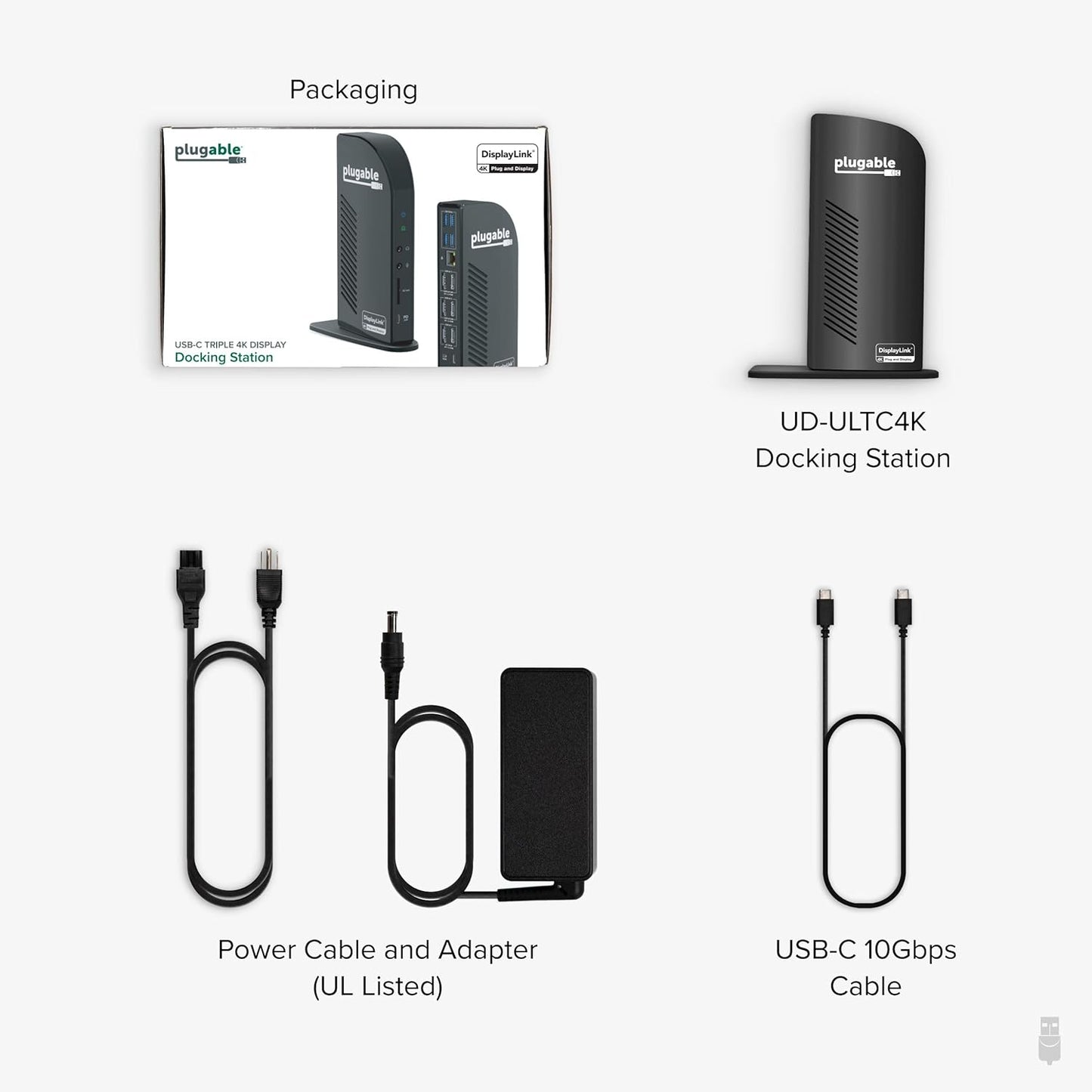
Plugable 13-in-1 USB C Docking Station 4K Triple Monitor with 100W Power Delivery | USB C Dock for Windows, Mac, ChromeOS, Thunderbolt | Driver Required | 3X HDMI and 3X DisplayPort (UD-ULTC4K)
Plugable 13-in-1 USB C Docking Station 4K Triple Monitor with 100W Power Delivery | USB C Dock for Windows, Mac, ChromeOS, Thunderbolt | Driver Required | 3X HDMI and 3X DisplayPort (UD-ULTC4K)
Regular price
$368.99 USD
Regular price
$368.99 USD
Sale price
$368.99 USD
Quantity
Couldn't load pickup availability
-

Get charged up
Stay Charged Up
With up to 100W charging (96W to host), you’ll have all the power you need to get through the day.
-

Connect up to
Three 4K Displays
Extend your desktop across three displays at up to 4K 60Hz.
-

Mix them
Match Them
Connect your displays with 3x HDMI, 3x DisplayPort, or a mix of both.
-


Plugable Docking Station

UD-ULTC4K |
UD-ULTCDL |

UD-6950Z |

UD-3900C4 |

TBT4-UDZ |
|
|---|---|---|---|---|---|
|
Customer Reviews
|
1,794
|
1,564
|
1,680
|
235
|
475
|
|
Price
|
$233.95 | $185.95 | $135.95 | $239.95 | $269.95 |
|
# of Displays
|
3 | 3 | 2 | 4 | 4 Windows,2 Mac M1-M4 Pro/Max |
|
Video Ports
|
3x HDMI 2.0 or DisplayPort1.2 | 3x HDMI | 2x HDMI 2.0 or DisplayPort 1.2 | 4x HDMI | 2x HDMI 2.0 or DisplayPort 1.2 |
|
Max Resolution Supported
|
3x 4K 60Hz | 1x 4K 30Hz, 2x 1920x1200 60Hz | 2x 4K 60Hz | 4x 1080p 60Hz | 4x 4K 60Hz |
|
# of USB 3.0 Ports
|
4 | 4 | 6 | 4 | 6 |
|
# of USB-C Ports
|
1 | 1 | - | 1 | 1 |
- All in One USB C Docking Station with Power - Named "Best Docking Station 2025" by How-To Geek, this multi-monitor station features 13 powerful ports. It includes USB-C with 100W charging, 4x USB-A, Ethernet, an SD card reader, and more - all through a single 10Gbps USB-C connection. It is the definitive complete docking station setup for busy professionals.
- Triple 4K: Extend your view with this triple monitor docking station featuring 3x HDMI and 3x DisplayPort outputs. Mix and match for ultimate flexibility - drive three 4K monitors at 60Hz on Thunderbolt, USB4, or Alt Mode laptops. No extra dongles or converters required.
- 100W Power Delivery: Power your laptop with up to 100W (96W certified) directly through the DisplayLink docking station, so you can leave your laptop power adapter in your travel bag.
- Compatibility: This USB-C dock is compatible with Windows 10 or later, macOS 11+, and ChromeOS (100.x or later) systems with Thunderbolt, USB4, or USB-C. Requires installation of DisplayLink Drivers, refer to the setup guide video in image gallery. HDCP (streaming services) not supported.
- Connection Options: Triple display docking station lets you connect your phone or other devices with 1x USB-C (10Gbps, 20W PD), and keep expanding with 4x USB 3.0 (5Gbps), an SD card reader, Gigabit Ethernet, and audio in and out ports.
| Brand | Plugable |
| Hardware Interface | USB Type C |
| Compatible Devices | Windows 10 / 11, macOS 10.15.x and later (DisplayLink installation required), ChromeOS 100.x and later. Supports full-featured USB-C, USB4, and Thunderbolt 3 / Thunderbolt 4 / Thunderbolt 5 systems, including: M1 / M2 / M3 / M4 / M5 / Neo (M1 Pro/Max, M2 Pro/Max, M3 Pro/Max, M4 Pro/Max, M5 Pro/Max); Intel-based Thunderbolt 3 MacBooks (late 2016+), Dell Pro / Pro Max, XPS, Latitude, Precision, Inspiron series, Microsoft Surface Pro / Go / Book / Laptop / Laptop Studio, HP ProBook, EliteBook, Spectre x360 series, Lenovo ThinkPad, X1, T series, IdeaPad, and Yoga, LG Gram, & thousands of other laptops equipped with full-featured, standards-compliant USB-C ports See more |
| Total USB Ports | 5 |
| Product Dimensions | 4.72"L x 2.64"W x 6.89"H |
| Number of Ports | 13 |
| Item Weight | 486 Grams |
| Total HDMI Ports | 3 |
| Wattage | 100 watts |
| Input Voltage | 20 Volts |