NYC School Shop
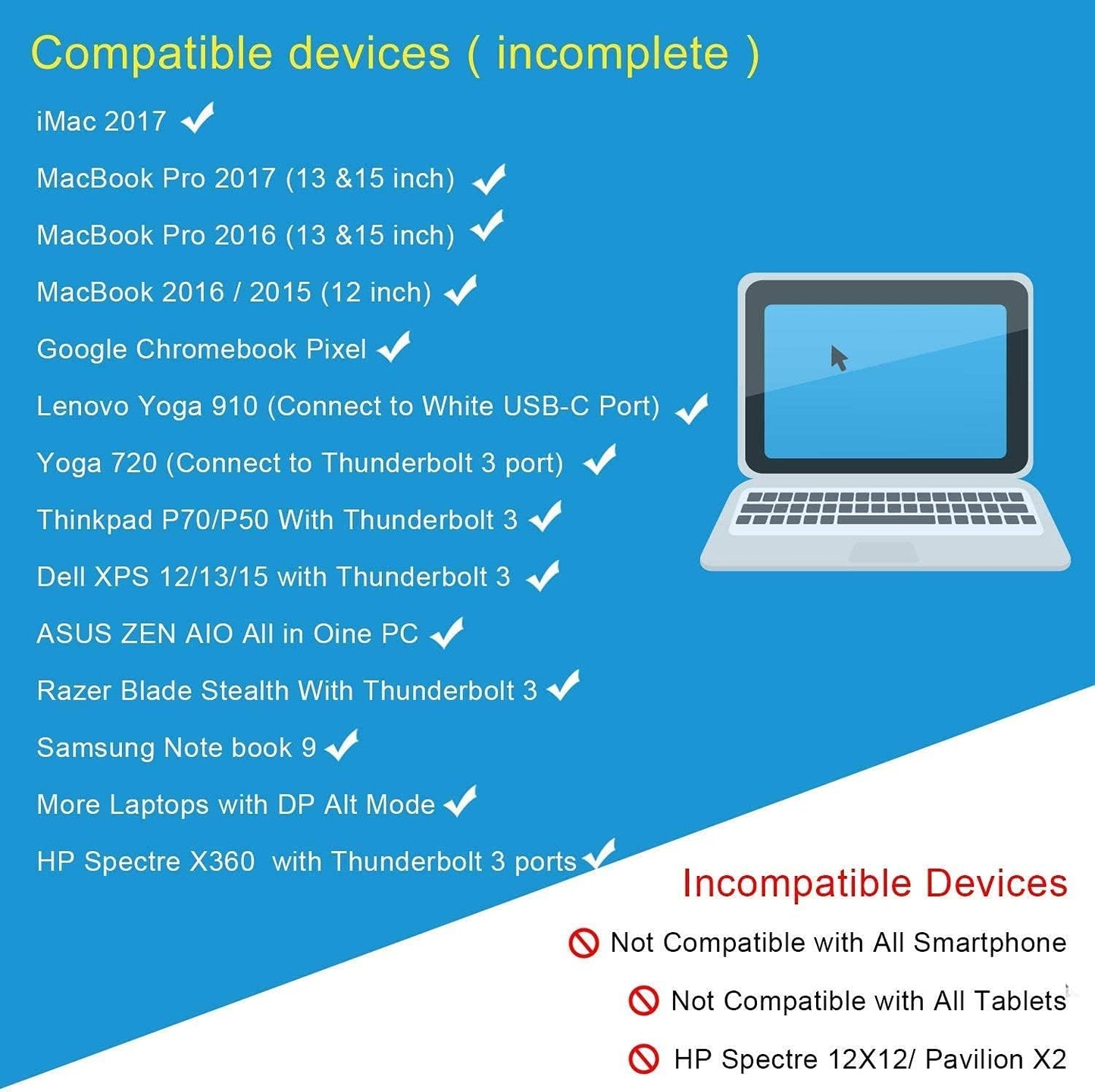
USB C to Dual HDMI 4K Adapter, CableCreation USB Type C (Compatible Thunderbolt 3) to 2 HDMI Adapter Compatible with MacBook Pro 2020/2019/2018/2017,XPS 13/Surface Book 2,Chromebook Pixel, Yoga 710
USB C to Dual HDMI 4K Adapter, CableCreation USB Type C (Compatible Thunderbolt 3) to 2 HDMI Adapter Compatible with MacBook Pro 2020/2019/2018/2017,XPS 13/Surface Book 2,Chromebook Pixel, Yoga 710
Couldn't load pickup availability

How to Set Dual Display on Windows

Dual mode under Windows system:
Mirror Mode:
laptop shows "A" + 2 extension displays show "A" is available
Extend Mode:
1: laptop shows "A" + 2 extension displays show “A” is available
2:laptop shows "A" + 2 extension displays show “B” is available
3: laptop shows "A" + 1 extension display shows “B” + 1 extension display shows "C" is available
How to Set Dual Display on MacBook

Dual mode under macOS system:
Mirror Mode:
laptop shows "A" + 2 extension displays show "A" is available
Extend Mode:
1: laptop shows "A" + 2 extension displays show “A” is available
2:laptop shows "A" + 2 extension displays show “B” is available
3: laptop shows "A" + 1 extension display shows “B” + 1 extension display shows "C" is NOT AVAILABLE

High Quality Material
- Aluminum alloy case
- Durable cotton braided cable

Dual 4K Monitor
You will get two monitors with HDMI at 4K@30Hz

Compact & Portable
Easy to carry around, perfect for business travel or home office.
- BEFORE PURCHASE NOTE: ❤️Make sure your laptop or PC supports ” Thunderbolt 3” or “display output mode(DP ALT mode)”. OTHERWISE it is NOT COMPATIBLE. If you don't know if your device is compatible with our products, send us a message via Amazon and we will help you
- How to set Dual display on MacBook: Please noted that MacBook is NOT able to run EXTEND MODE if you enable 2 or above extension display. ONLY MIRROR MODE is available if you connected 2 or above extension display on MacBook. Steps: Top left corner Apple icon-->System Preferences-->Displays--> Mirror or Extend Displays, both HDMI monitor are identical but different with laptop screen
- How to set Dual display on Windows: Both mirror and extend mode is available on Windows. Steps:Press Windows key + P combination command-->Choose Duplicate or Extend
- Plug & Play, Vivid 4K resolution: No driver or software needed. 2 extension display resolution is up to 4K@30Hz, please makre sure us HDMI 1.4 cable or above to avoid Screens flickering. If your source video or laptop is over 4K@30Hz. Please lower the resolution as :For Windows Menu--> Setting--> Display--> Advanced Display Settings, set your laptop's resolution same as or lower the resolution of external monitor. For MacOS: Left-upper Apple icon-->System Preferences-->Displays-->Mirror displays
- What You Get: We provide 24 months worry free warranty for this USB-C dual hdmiI convertor, please feel free to contact us if you have any question or suggestion, we will get back to you in 24 hours.
| Brand | CableCreation |
| Color | Space gray |
| Hardware Interface | HDMI, USB Type C |
| Special Feature | Plug and Play |
| Compatible Devices | Linux、Windows、MacOS |